



Anchor changed names twice. This Anchor podcast hosting review is current for 2026. I rechecked every claim on this page against Spotify’s own support pages this week, because most reviews still repeat old numbers. If your team runs a full-service podcast production agency workflow or a solo show, the rules below decide whether free hosting is a bargain or a trap.
Here is the short version of the history. Spotify says it has been in the podcast business since 2019. On November 13, 2024, Spotify announced that Spotify for Podcasters became Spotify for Creators. Most people still search for the older names, which is why “anchor podcast” and “anchor.fm” still draw thousands of searches a month.
I will keep this anchor podcast review short and practical. I will cover what the platform does well, where it falls short, how it compares, and how to leave if you outgrow it. I also correct a few figures that older reviews, including our earlier version of this page, got wrong or could not source.
What Spotify for Creators is today
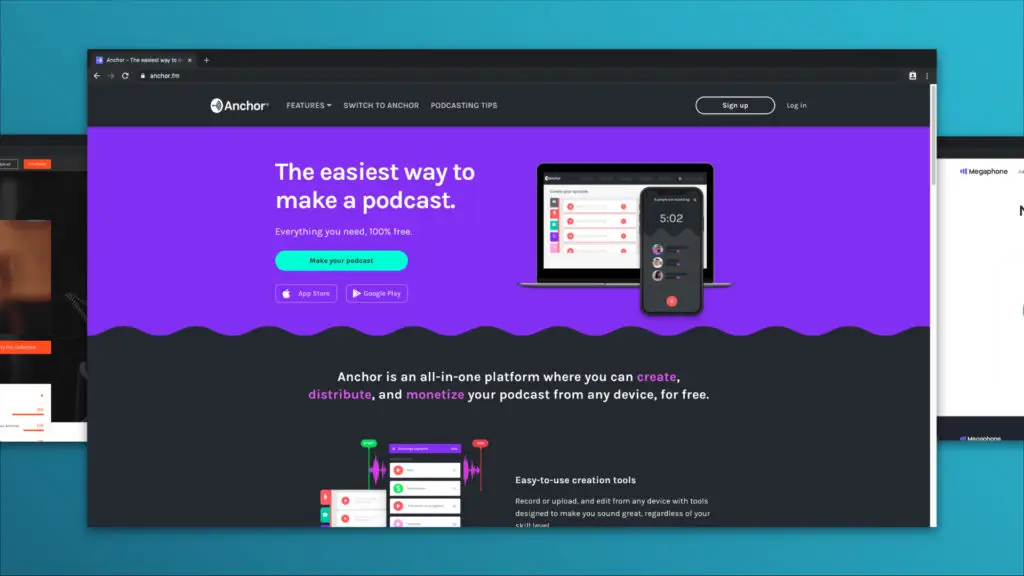
Spotify for Creators is a free hosting and distribution tool. You upload audio or video, and it creates an RSS feed. Other apps then pull your episodes from that feed. Spotify describes the platform as the home for audio and video creators.
The 2024 announcement added a bigger push into video. Spotify’s Fan Study reported that video podcast consumption rose 88% in the past year, and the company says more than 250 million users have watched a podcast on Spotify. Those are Spotify’s own numbers. Treat them as a sign of where the platform is going, not as proof that video helps your show.
For a business owner, the useful point is simple. The tool is free, it is easy, and it is owned by the largest audio app. That mix is why it is so popular. It is also why you should read the fine print before you move a real brand there.
What free hosting gets you
The basics work well. You can publish in a few minutes, send episodes to major directories, and see Spotify listener data in one dashboard. You can host audio and video. You do not pay a monthly fee to get started.
Monetization options
Spotify lists five routes on its monetization page. They are the Partner Program, host-read sponsorships on video episodes, and subscriptions. The last two are subscriptions through partners such as Patreon, and direct sales for enterprise publishers through Megaphone. Most small shows will only ever see the first two.
The Partner Program bar
The Partner Program pays you 50% of the recognized revenue when Spotify-monetized ads play in your episodes, on or off Spotify. You must place at least one ad break in each episode. To join, Spotify requires all of these:
- A legal address in an eligible market, which today includes the United States, Canada, the United Kingdom, Australia and much of western Europe.
- At least 3 published episodes.
- At least 2,000 consumption hours on Spotify in the last 30 days.
- At least 1,000 audience on Spotify in the last 30 days.
Spotify also says it will open more markets on October 20, 2026, including Italy, Spain, Poland, Mexico and Brazil. It notes that markets may change. A stream counts when someone listens for 60 seconds or more.
Here is the math nobody prints. If you have exactly 1,000 audience and need 2,000 hours, the average person must spend two hours with your show in 30 days. That is four half-hour episodes each. Many early shows clear 1,000 people long before they clear 2,000 hours.
Spotify also asks active partners to publish an episode and earn at least $10 in any six-month period to stay in the program. Payouts need bank details, and Spotify requires two-step verification once you earn $1,000 in a month.
Subscriptions have a lower bar
Subscriptions need only 2 published episodes and 100 listeners on Spotify in the last 30 days, plus a supported country. That bar is far lower than the Partner Program. A niche professional audience can clear it. I did not verify the fee Spotify charges on subscriptions, so check its fee schedule before you plan revenue.
Where free hosting costs you
The price of free is not on the invoice. It sits in the switching rules.
Spotify’s own guide to switching hosts states that analytics do not transfer from your previous host. That rule works in both directions. If you move away, your old Spotify-side history does not follow you to a new platform, so you should download what you need first.
Leaving is also manual. Spotify says the redirect cannot be set from the mobile app, and it can take up to 7 days to take effect. If you use subscriptions, you must turn them off first. Spotify’s page does not say how long the redirect stays active, so ask your next host what its policy is.
Lindsay Krasinski, our Podcast Strategy Consultant, makes this point about agencies in her vetting guide. The client owns the RSS feed from day one, and vague wording on feed control is a trap. The idea applies to hosts too. I call it the Exit Test. Before you pick any host, confirm three things. First, you control the RSS feed address. Second, you know the redirect steps for leaving. Third, you can export your numbers. Spotify for Creators gives you the first two, with limits, and does not give you the third in a portable form.
Two more traps come up in reviews. The Free Forever Trap is the belief that a free tool will keep its terms. Spotify itself says program markets and details may change. The Dashboard Mirage is the habit of treating one platform’s play count as total reach. A listener on Apple Podcasts or a car app does not appear in a Spotify dashboard, so the number is a slice, not the whole show.
This is where free hosting collides with business goals. A show that must prove it influenced pipeline needs data you own. If you want a deeper look at what a business show costs when you do it right, see our guide to how much a B2B podcast costs.
Anchor login, the Anchor app and old links
Many people still search for the anchor podcast login or the anchor fm login. Reviews from Riverside say old Anchor links now redirect and that existing shows moved to Spotify logins. So you sign in through Spotify for Creators, not a separate Anchor account.
The same goes for the anchor app podcast tools. The mobile recording tools I used years ago now live inside the Spotify for Creators app. The Podcast Host reviewed the 2023 rename and found the tools unchanged. Its tester said Spotify offered the same podcasting tools under a new look.
One old problem is worth a check. The same review noted in 2023 that the RSS feed still showed the sign-up email address. I did not retest that, so look at your own feed before you share it.
Free podcast hosting for a business: what to check
Searches for free podcast hosting and spotify podcast hosting often lead to review pages that stop at features. Riverside’s guide, for example, scores price, ease and monetization, but it does not explain how to export analytics or how to leave. Another guide I read covers inbound migration only.
That is the gap for a brand. A spotify for creators podcast hosting account is easy to open, and the harder question is how to close it. Run the Exit Test on any free host you try.
Also treat stream counts with care. Spotify counts a stream at 60 seconds. Riverside’s guide says the rule moved to 30 seconds on June 11, 2026, but Spotify’s Partner Program page still says 60 seconds. I used Spotify’s page. Check both before you compare numbers.
How it compares with paid hosts
Paid hosts sell what free hosting leaves out: stats you can export, support, and plans built for brands. I checked public pricing pages this week. Prices change often, so confirm before you buy.
| Host | Entry price I found | What to check | Best for |
| Spotify for Creators | Free | Analytics export, redirect steps, market rules | Hobby shows, tests, video-first creators |
| Buzzsprout | Free plan: 2 hours of uploads a month, episodes kept for 90 days. Paid plans listed from $15 a month | Retention on the free plan, upload hours | Solo creators who want simple paid hosting |
| Captivate | Listed from $17 a month billed yearly (the same page also cites $19) | Download limits per plan, growth tools | Teams that publish often |
| A private or gated host | Quoted by scope | Access control, login options, reporting | Internal, client or member shows |
For a broader ranking by use case, read our guide to the best podcast hosting platforms. It covers the paid options in more depth.
Quick rule of thumb: the cheapest plan is rarely the cheapest outcome. A $15 plan that gives you clean exports costs less than a free plan that leaves you rebuilding history after a move.
Who should use it, and who should not
| Your situation | My pick | Why |
| Testing an idea before you invest | Spotify for Creators | Zero cost, fast setup, easy to start over |
| Hobby show with a video focus | Spotify for Creators | Built for audio and video in one place |
| Business show that must show leads | Paid host with exports | You own the data and the history |
| Show with 10 or more planned episodes for a client | Paid host, planned from day one | Moving later means a redirect and lost analytics |
| Internal or members-only show | Private hosting | Access control matters more than reach |
I would not call this a bad product. I would call it a good starting point with a cost that grows with your success. The more episodes you publish, the more history you leave behind if you switch.
Recording quality matters more than the host in the first ninety days. If your audio is weak, no platform will save it. Our guide on how to record a podcast walks through the setup.
If you decide to leave
Plan the move so no listener misses an episode. The steps below follow Spotify’s own switching guides.
- Download any analytics you want to keep. Spotify says they do not transfer.
- Sign up with the new host and import your episodes. Wait until the import finishes.
- Log in to Spotify for Creators on the web, open Settings, and use the option to redirect your podcast. Paste the new RSS feed.
- Turn off subscriptions first if you use them.
- Wait for the redirect to take effect, which can take up to 7 days.
- Only then close the old account, and wait at least a week after redirecting if you plan to delete it.
The Spotify docs also say you can switch only one show at a time when you move into Spotify, so batch your moves if you manage several shows.
What a business show needs beyond hosting
Hosting is the smallest part of a business show. Strategy, guest choice, editing, distribution and reporting decide whether the show earns its keep. If your team wants a show that supports sales, podcast production services cover the full workflow from planning to publishing.
If you already publish and want help keeping it consistent, podcast management takes the weekly work off your team. For shows that must stay behind a login, such as client briefings or internal training, see private podcast hosting.
Ask good questions before you hire help. Our list of questions to ask a podcast agency covers ownership, reporting and exit terms, which are the same three ideas as the Exit Test. You can also book a call if you want a second opinion on your setup.
Conclusion
Spotify for Creators is a fair place to start. It costs nothing and it makes publishing easy. The risk is not today’s price. The risk is what you leave behind when you switch.
Run the Exit Test before you commit: own the feed, know the redirect, and keep your numbers. If you can pass all three, free hosting is fine. If not, spend a little now and save the rebuild later. Free hosting is a loan, and the interest is your listener history.
Strategy-first. Production second. Growth always.
Sources
- Riverside, Anchor review (checked Oct 13, 2026)
- The Podcast Host, Spotify for Podcasters review (checked Oct 13, 2026)
- Spotify for Creators, Monetizing your show (checked Oct 12, 2026)
- Spotify Partner Program (checked Oct 12, 2026)
- Switching your show’s hosting to Spotify for Creators (checked Oct 12, 2026)
- Switching away from Spotify for Creators with a 301 redirect (checked Oct 12, 2026)
- Spotify Newsroom, Go Inside Spotify for Creators (Nov 13, 2024) (checked Oct 12, 2026)
- Buzzsprout pricing (checked Oct 12, 2026)
- Captivate pricing (checked Oct 12, 2026)