



Good editing is invisible. Listeners only notice it when it’s missing. Our podcast production team has produced more than 50,000 episodes since 2014, and this guide shares the order of work we trust.
You’ll get a clear method, a loudness target from Apple’s own guidance and current cost ranges.
Why editing matters
Editing is what turns a recording into an episode. Most listeners never think about it, and that’s the point. When editing works, they hear a clear voice and a steady pace. When it fails, they hear every cough, long pause and level jump.
It’s worth your time for three reasons. It makes the show easier to listen to, it signals that you take the show seriously, and it shortens the path to the good parts, which helps people reach the end.
That last reason matters whatever kind of show you make. A true-crime fan who hits ten minutes of throat-clearing drifts to another show, and a business listener who hears a sloppy episode links that sloppiness to your brand.
Six myths about editing
- Only the sound matters. Pace and structure matter just as much, and a clean file with a rambling answer still loses listeners.
- People won’t notice. Listeners rarely name the problem, but they stop listening.
- Editing kills authenticity. Good editing removes noise and keeps the voice, and you choose what stays.
- It’s too hard. The basic moves are simple, skill comes from practice and time per episode falls fast.
- Our show is casual, so why bother? Casual shows need editing most, because loose talk runs long.
- It costs too much. It costs time or money, and that’s far cheaper than losing listeners.
The pattern is the same in each myth. Good editing shows respect for the listener’s time, and polish is a bonus.
Edit in four passes
Most beginners edit everything at once and miss half of it. We work in four passes instead. Each has an order and a purpose:
- Pass one, structure. Decide what stays. Cut tangents, repeated points and long setups.
- Pass two, cleanup. Remove clicks, filler words, long pauses and background noise.
- Pass three, polish. Match levels between voices, add music and smooth the transitions.
- Pass four, finish. Set the loudness, check the file on different speakers and export.
Do them in order. Cleaning a section you later cut wastes time, and polishing a section you later change wastes more.
Take a short break between passes. Fresh ears hear problems that tired ears skip. If you can, listen on headphones for one pass and on a phone speaker for the last.
Editing tips that save time
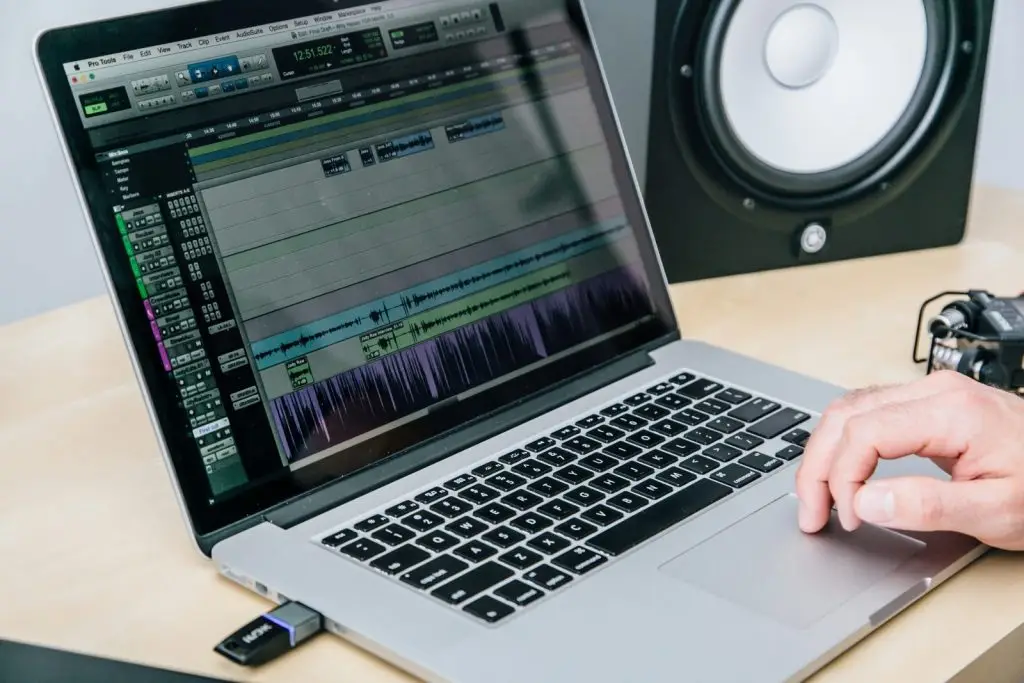
- Edit in shuffle mode if your software has it (Pro Tools calls it Shuffle; other editors call it ripple editing). It closes gaps as you cut, so you keep the flow.
- Group your tracks. If a host and guest are on separate tracks, cut them together so they stay in sync.
- Use closed-back headphones. They block outside sound and show noise you’d miss on speakers.
- Copy a clean breath or consonant from nearby when you need to fix a gap. A missing sound is more noticeable than a quiet one.
- Remove lip smacks and clicks with a gentle fix and skip the hard gate. Heavy cleanup makes voices sound thin.
- Listen back from start to finish. Playing a section only in the editor hides pacing problems.
None of these tips needs expensive software. When you compare tools, ask which ones offer shuffle or ripple editing and a loudness meter, then test two on one episode.
Common editing mistakes
A few mistakes come up again and again, and each has a simple fix:
- Too much cutting. Removing every pause makes a speaker sound rushed. Leave some air.
- Ignoring tone. A heavy clean-up can strip warmth. Compare the edit to the raw take.
- Cutting breaths to nothing. A speaker who never breathes sounds odd. Keep short, soft breaths.
- Harsh S and F sounds. Reduce them with a light de-esser, and check on cheap earbuds.
- Music that fights the voice. Keep music low under speech, and fade it before the next line starts.
Many of these start at the recording. A mic too close creates pops that no edit fully fixes. Our guide on microphone technique and our piece on how to record a podcast can cut your editing time.
The finish line: loudness and files
The last step is the one beginners skip, and skipping it means your episode may sound loud in one app and quiet in another.
Apple’s audio requirements ask for an overall loudness near -16 dB LKFS, with a tolerance of plus or minus 1 dB. They also ask for a true peak at or below -1 dB FS, measured to ITU-R BS.1770-5. See the full list in the Apple audio requirements.
Apple Podcasts Connect accepts WAV, FLAC and MP3 for submission. For RSS feeds it accepts MP3 or AAC and recommends AAC, which sounds better at the same bit rate. Lower bit rates make smaller files but can add audible artifacts, so check what your host expects before you export.
Trust a loudness meter, not your ear. Most editors have one built in, or you can run your final file through a finishing tool. Then listen to the first and last minute on two devices.
Should you outsource editing?
Editing is a common first task to outsource. It repeats every episode, it takes skill and it eats time. A Castos cost guide puts proper editing at two to four hours for one hour-long episode.
The guide also prices outsourcing per episode: freelancers run $50 to $200, boutique editing agencies $200 to $400, and full-service production $400 to $1,000 or more. These are one firm’s numbers, so treat them as a guide, not a quote.
Quality varies widely. A poorly edited episode can be worse than an unedited one, because it adds errors, so ask for a sample on your own recording before you commit.
Ask how many revisions are included, too. For the wider budget, see what a B2B podcast costs overall.
Think about what you need beyond the cut. A freelancer may clean audio well but won’t always shape your story. For that, see the comparison of a freelance editor and a production company.
A simple workflow for each episode
A fixed routine saves more time than any plugin. Here’s a plain version you can adapt:
- Back up the raw files before you touch them.
- Name every file with the show, the date and the episode number.
- Listen once at normal speed, and note the time of every problem.
- Run the four passes in order.
- Export a draft and listen on a phone speaker.
- Send the draft for review with a short list of questions.
- Apply the notes, export the final file and store the project.
Backups feel dull until the day a drive fails, and naming files feels dull until you need one from six months ago. Both pay you back many times over.
Keep a template project with your tracks, effects and export settings. A template turns the first ten minutes of each edit into a single click and keeps every episode sounding the same.
It also helps to write a short style note. List how you handle filler words, how long a pause may be and when music plays, and a new editor can match your sound on day one.
Editing for a B2B show
A business show has extra checks, because guests may say things that need review. Names, titles and company claims must be right, and a product mention may need approval before it goes live. (Interview, true-crime and news-style shows benefit from the same habit: a wrong name or date is just as painful there.)
Build those checks into the edit. After pass two, send a short list of flags to the host or the guest, and fix them before you polish. It’s far easier to cut a line at this stage than to pull an episode after release.
We treat quality checks as part of the edit, never as a last minute step. A clean file isn’t done until the facts and the names are right, too.
Plan the other outputs while you edit. Mark good moments for clips as you go, and note timestamps for show notes. That saves hours later, and it supports the distribution work described in our full-service production guide.
Podcast editing software: how to choose
Most guides to podcast editing software are just lists of tools. A Podbean roundup covers free options such as Audacity and GarageBand, and paid ones such as Adobe Audition, Reaper and Descript. It lists Reaper at a $60 one-time license and says Auphonic is free for up to two hours of audio a month.
Those lists focus on tools and prices. Neither the Podbean nor the Async roundup walks through an order of edits, and Async gives no loudness target. Async also lists the same two bundle prices under both Fission and TwistedWave, so check any price on the vendor’s site.
Our take: pick a tool that fits your skill and budget, then learn it well. For a first show, a free editor like Audacity covers every move in the four passes.
Move to a paid tool when time is the problem. Text-based editors let you cut audio by editing a transcript, which saves hours on talk-heavy shows, but you still need a human to judge pace. Whatever you choose, make sure it has a loudness meter and shuffle or ripple editing, test two tools on the same episode before you pay, and check the export formats against your host.
AI podcast editing: what it can and cannot do
Many editing tools now include AI features such as filler-word removal, noise reduction and automatic leveling. Podbean, for example, describes silence removal and leveling on its paid plans.
We use these tools for pass two, where they cut filler words and noise fast. Deciding what stays in the episode is pass one, and that’s a human call.
Watch for three limits. Heavy noise removal can make voices sound thin, automatic filler removal can clip the start of a word, and no tool checks that a guest’s name or a factual claim is right. A person still has to review the final file.
Be careful with time-saving promises, too. Vendors often quote big reductions in editing time without a source, so test any tool on your own audio before you plan around it.
When volume rises, many teams hand the work to an editor or a service instead. The Castos guide above prices that option, and Async says mid-level freelance editors earn about $30 to $50 per hour of audio. A good service can also add the review checks that software can’t.
How to edit a podcast when you have no time
If you’re short on hours, the fastest gain comes from a cleaner recording, with a new tool a distant second. Editing takes far less time when the room is quiet and the mic is close.
Next, cut harder in pass one. A tighter structure means fewer problems to fix later, so remove whole tangents instead of single words.
Then batch the work. Edit three episodes in one sitting, with the same template, instead of one a day. You stay in one mindset, and your style stays steady.
What we can’t tell you
We can’t give you one time per episode. It depends on your recording, your speakers and your skill. What we can give you is an order of work and a finish line that matches Apple’s guidance.
Want a team to take the edit? Our podcast production services cover it, and you can book a call to hear a sample.
Conclusion
Editing is a repeatable craft. Edit in four passes, fix recording problems at the source and finish with a loudness check. When volume grows, hand the routine to a partner and keep your time for the conversation. A short test edit will show you whether the fit is right.